· 2366 words · 12 min
Trench.io Review 2026: What a 1000x Multiplier Really Does to a $20 Trade
Trench.io puts stocks and crypto in one trading screen with a payout multiplier of up to 1000x. I went through sign-up, deposit and a full Nvidia trade: what the multiplier does to your exposure, where the autoclose line sits, what the fees are and who this is for.
Paid promotion: Trench.io paid for this review. The trades in the video were placed on a small balance to show how the interface works; they are not a performance record. The opinions are my own, and links to Trench.io carry my code CRYPTOLADY. Trading with a multiplier is high risk: the full amount you put into a position can be lost. Nothing here is financial advice.
Short answer
Trench.io is a browser-based platform that puts stocks and crypto in one trading screen and lets you set a payout multiplier of up to 1000x on a position. $20 at 1000x becomes $20,000 of exposure, the most you can lose is the $20, and the upside has no cap. The catch is in the numbers: at 1000x the autoclose line sits about a tenth of a percent from your entry, a 1% move in your favor pays about 8.8x the stake after the 10% fee on profit, and a 0.1% move against you ends the trade. Sign-up takes a minute with no document check, deposits start at $10 in crypto, and the same account works on a laptop and a phone. Treat it as a tool for short, deliberate trades with money you can afford to lose, not as a place to park capital.
▶️ Watch the full Trench.io review on YouTube — I walk through the whole Nvidia trade on screen, from the ticker search to Cash Out.
🔗 Open Trench.io with code CRYPTOLADY — the current promotion attached to the code is shown on their site.
What Trench.io is
One list of markets, one trade panel, one slider that goes up to 1000x. You pick a market, choose Up or Down, type an amount, move the multiplier slider to where you want it and press Place Trade. There's no margin account to apply for, no options chain to decode and no separate app for stocks and another one for crypto.
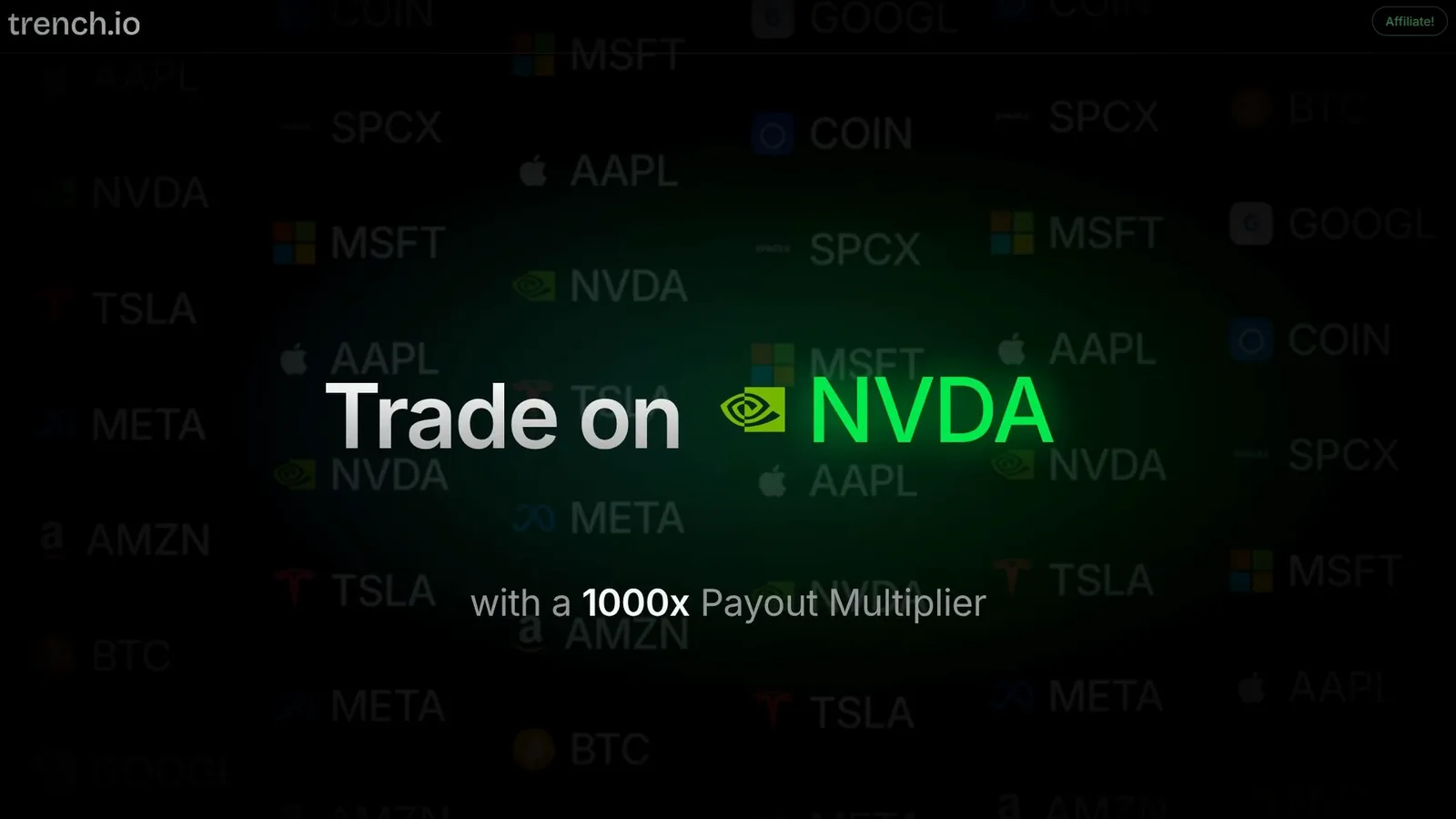
The whole thing runs in the browser, so there's nothing to install. Sign-up is Google, Apple or an email address. I went through sign-up, a deposit and a full trade myself and recorded the screen; the trades in the video were placed on a small balance to show the mechanics, and that's how you should read them.
Markets: stocks and crypto in one list
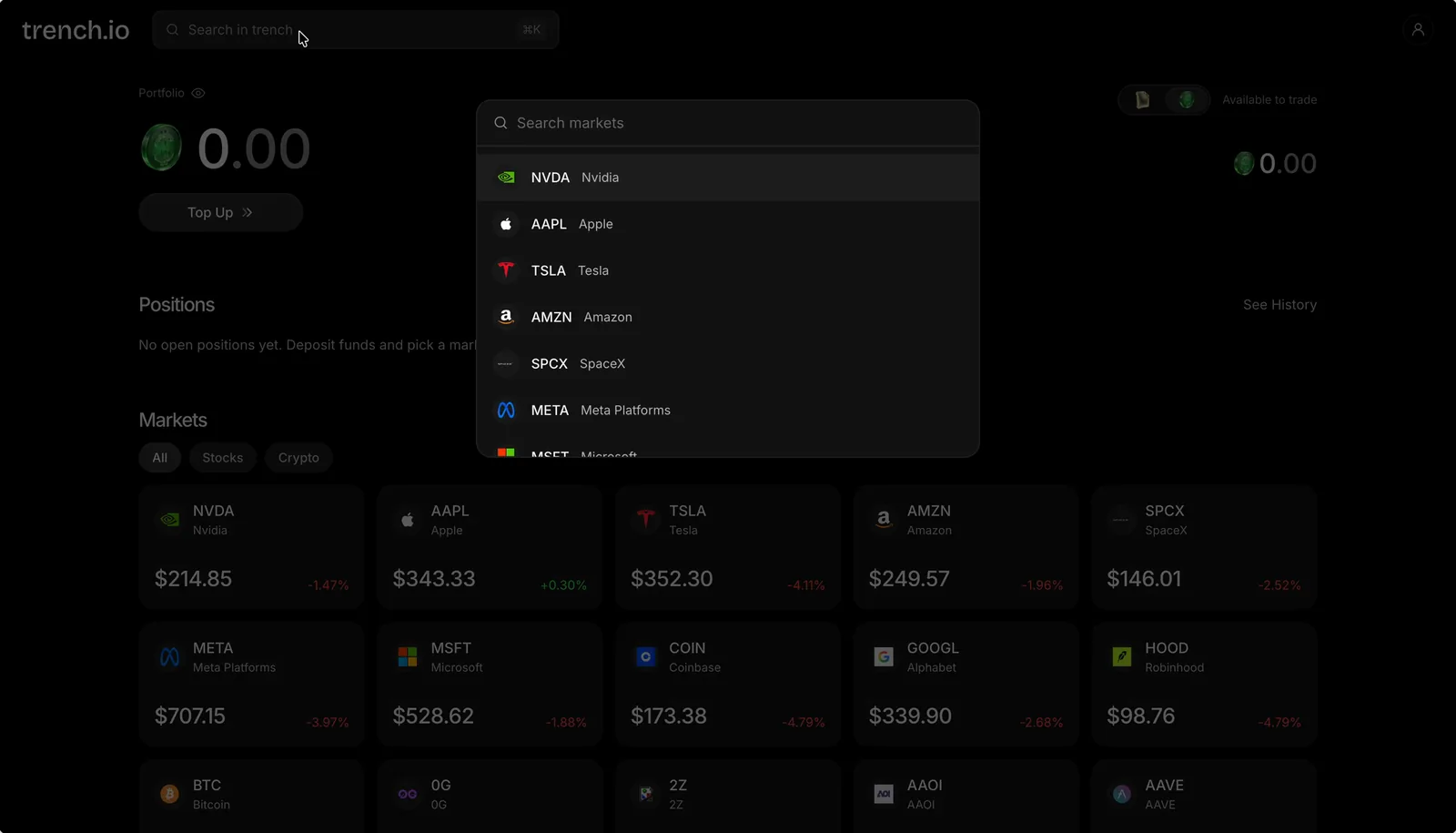
The Markets screen shows stocks and crypto side by side, with All, Stocks and Crypto tabs. On the stock side I saw NVDA, AAPL, TSLA, AMZN, SPCX, META, MSFT, COIN, GOOGL and HOOD. On the crypto side there's BTC, and below it a long list of altcoins that I kept scrolling through.
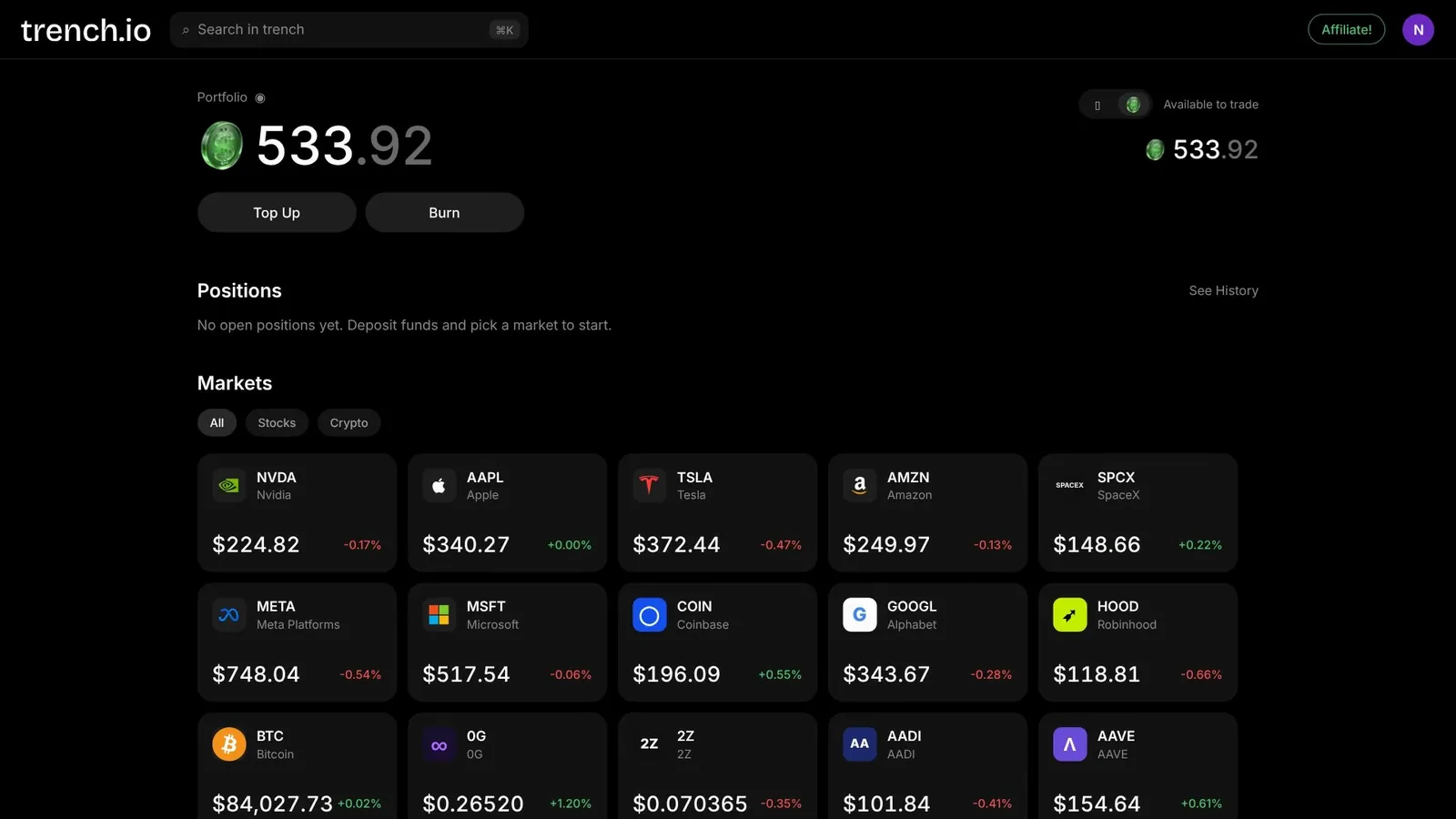
Search works the way it does in a code editor: Cmd+K, type the ticker, pick it from the list. Each market opens with a chart that switches between a line and candles, and a trade panel on the right.
What the multiplier does to $20
The payout multiplier scales your position size, not your deposit. Put $20 into a position, set the slider to 1000x, and the Total Exposure field under the slider shows $20,000. That's the amount the market move is applied to. A move that would have made you $20 at normal size makes $20,000 at 1000x, because the position is a thousand times larger.
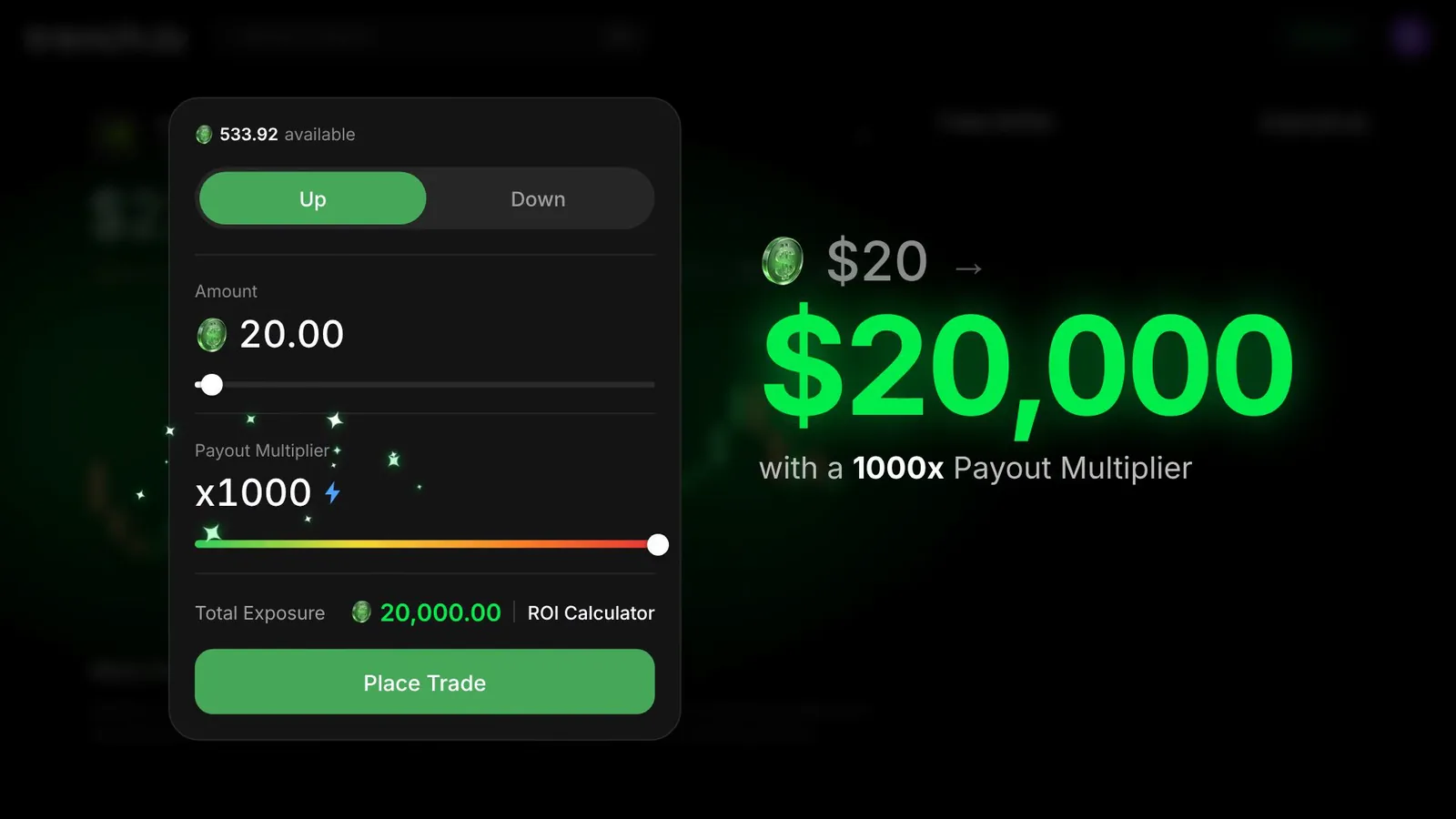
| Amount | Multiplier | Total exposure |
|---|---|---|
| $20 | x1 | $20 |
| $20 | x10 | $200 |
| $20 | x100 | $2,000 |
| $20 | x1000 | $20,000 |
The slider starts at x1, so the multiplier is a choice, not a default. You can run a $20 position at x10 and give the trade room to breathe.
The downside is capped, the upside isn't
The most a position can cost you is the amount you put into it. Trench.io puts it on a slide in its own materials: never lose more than you put in, your upside is uncapped. In practice it works through an Autoclose line drawn on the chart. If the price reaches that line, the position is closed and you lose the stake, nothing more. There's no margin call and no negative balance.
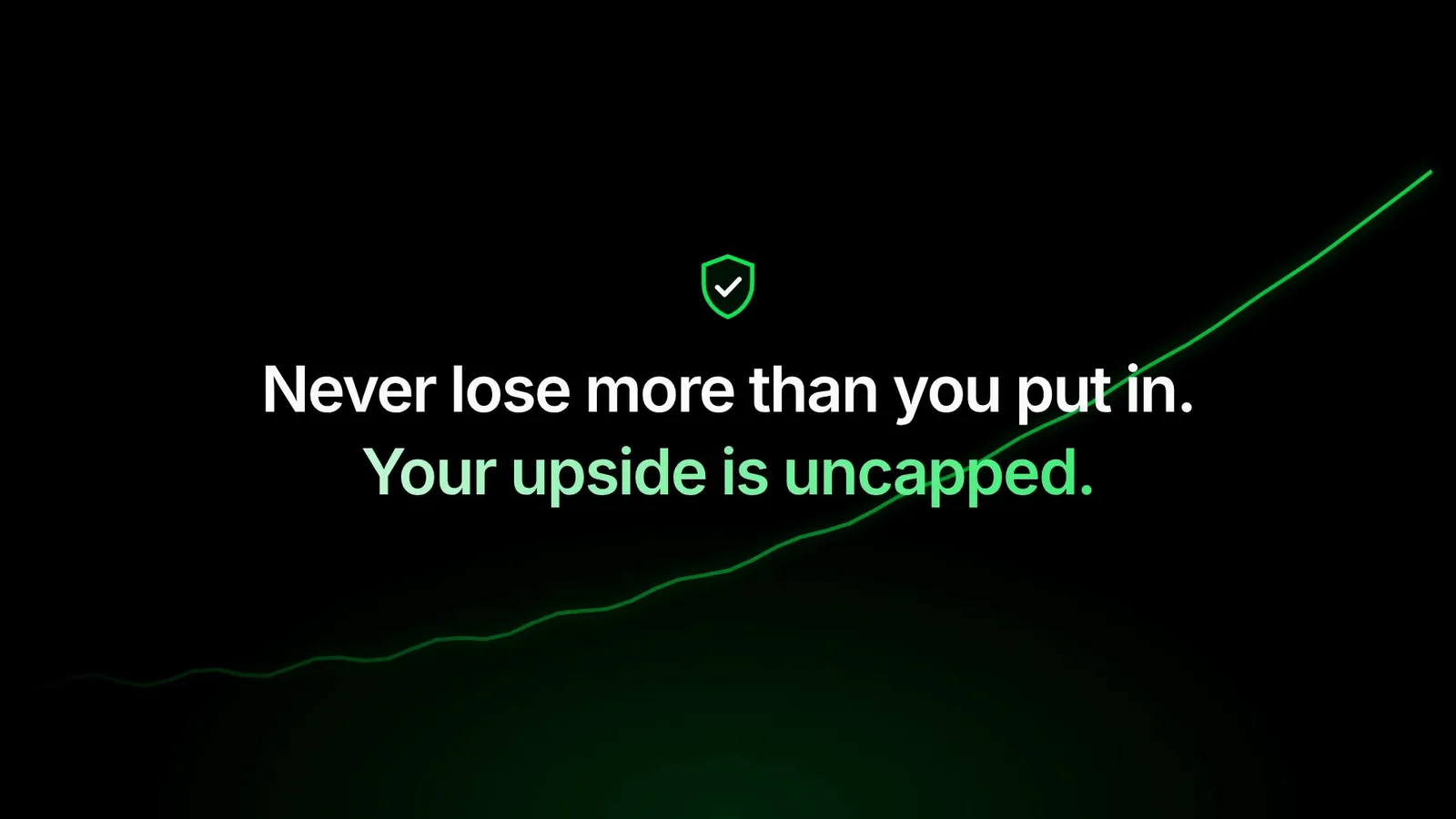
The part that matters is where that line sits. At 1000x it's about a tenth of a percent from your entry price, because a 0.1% move against a position that's a thousand times your stake is the whole stake. At 100x it's about 1% away, at 10x about 10%. So the multiplier decides two things at once: how much a move pays, and how little room the trade has.
The ROI calculator: what a 1% move pays at 1000x
There's an ROI Calculator link right in the trade panel, and I'd open it before every trade. It takes your amount and multiplier and shows what each price move would pay. Here's what it showed me for a $20.06 Nvidia position at 1000x.
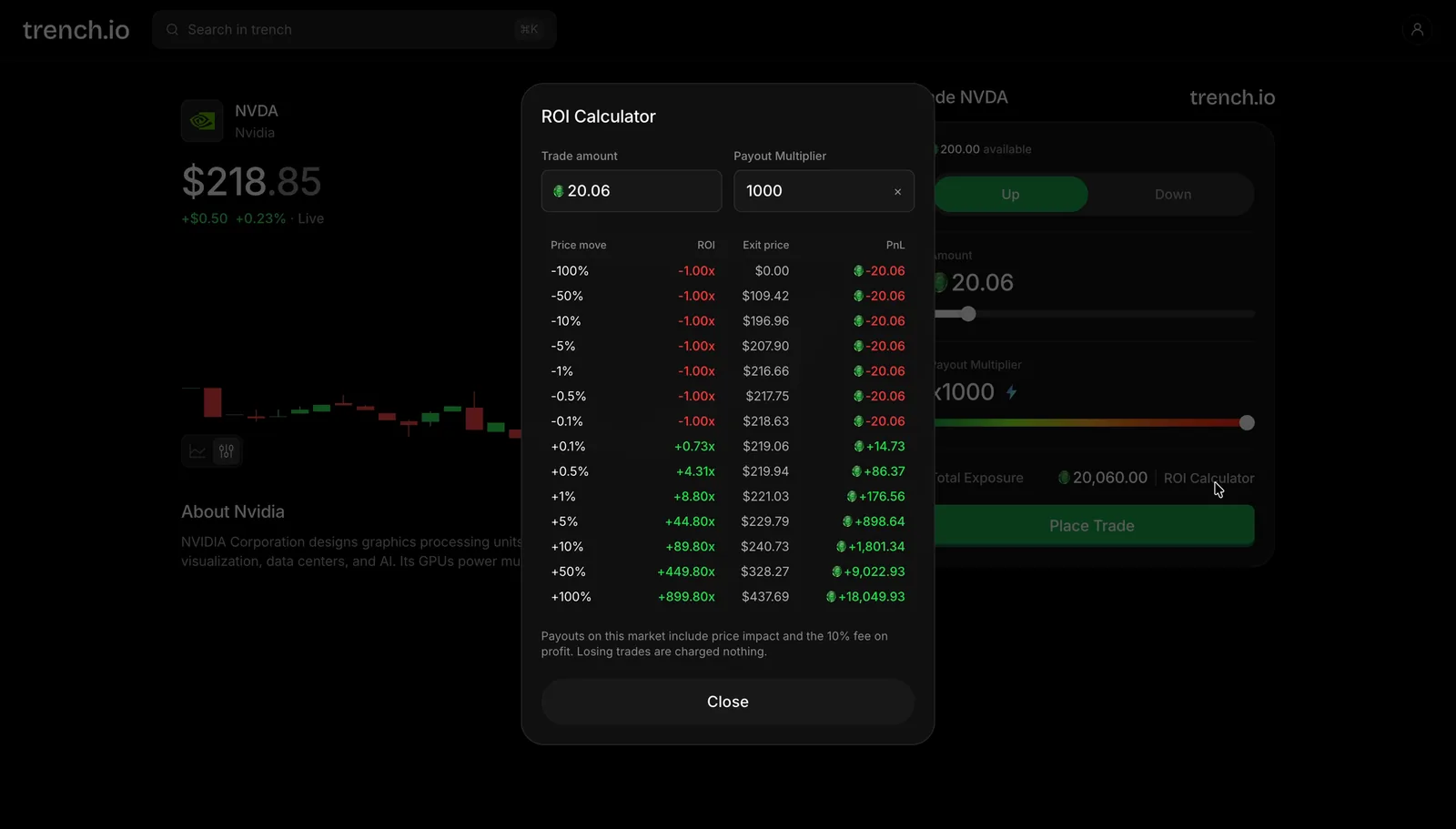
| Price move | ROI | P&L on $20.06 |
|---|---|---|
| +0.1% | +0.73x | +$14.73 |
| +0.5% | +4.31x | +$86.37 |
| +1% | +8.80x | +$176.56 |
| +5% | +44.80x | +$898.64 |
| +10% | +89.80x | +$1,801.34 |
| −0.1% or worse | −1.00x | −$20.06 |
Two things in the small print under the table are worth knowing. Payouts include price impact and a 10% fee on profit, which is why a 1% move pays 8.8x rather than a clean 10x. And losing trades are charged nothing: if the position closes at the autoclose line, you lose the stake and no fee on top.
Read the table honestly and it tells you how to use the platform. At 1000x you're trading the next few minutes of price action, not a thesis about where Nvidia will be in a week. If you want to hold through noise, pick a lower multiplier.
Deposits: USDC from your wallet or an exchange, from $10
Top Up opens a deposit window with two routes: Use Crypto and Use Cash. Under Use Crypto you can transfer from a wallet, which the window marks as instant with no limit, or connect an exchange account, marked as about two minutes. I used the wallet route.
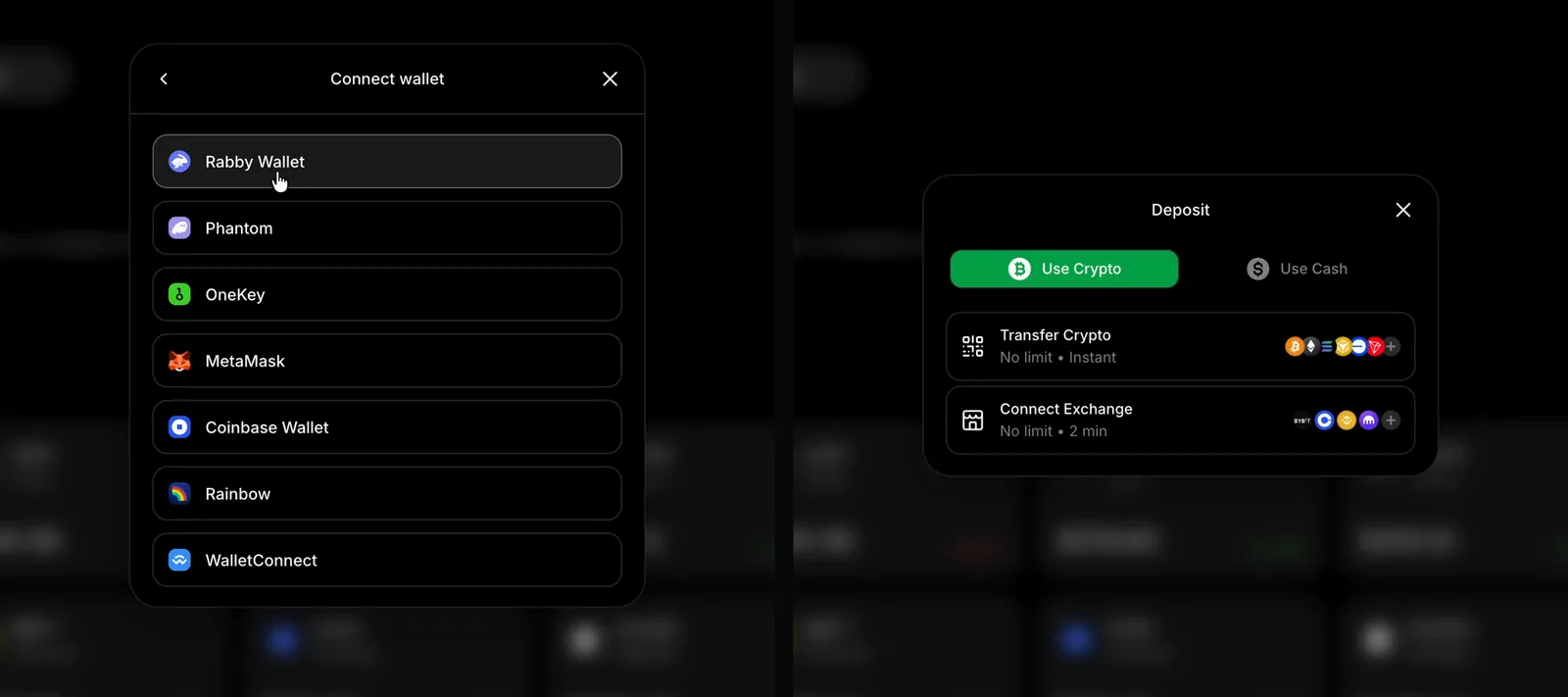
The wallet list covers the usual suspects: Rabby, Phantom, OneKey, MetaMask, Coinbase Wallet, Rainbow and WalletConnect. Transfer Crypto gives you a deposit address and a QR code. In my case the token was USDC on Ethereum; both fields are dropdowns, so other options exist, but I didn't go through them. The minimum shown was $10.
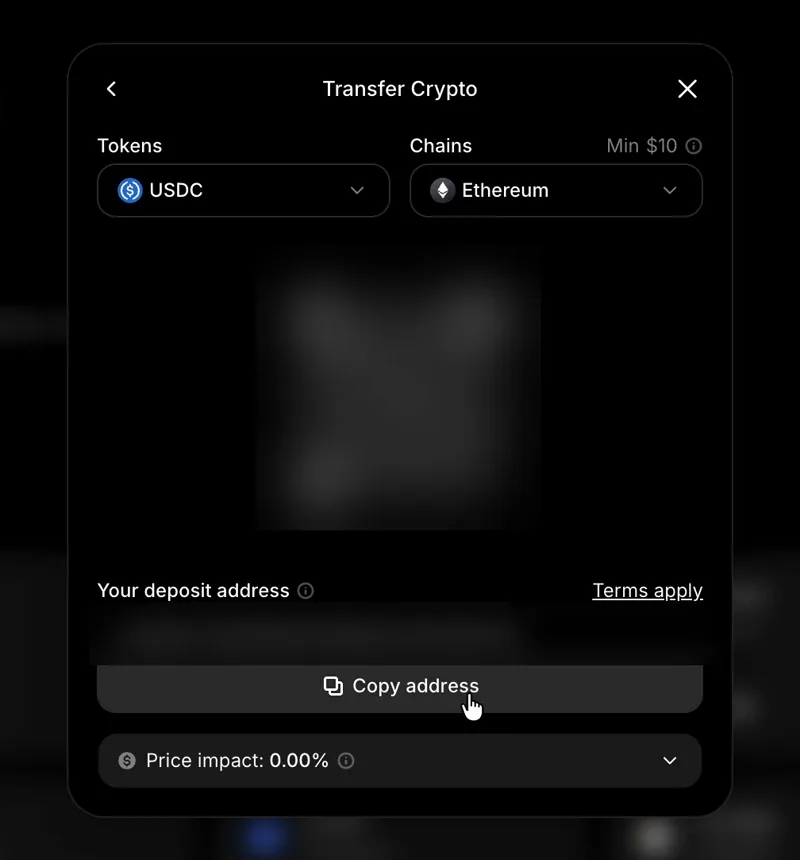
From creating the account to placing the first trade took me about a minute, and there was no document upload or ID approval in between. I didn't test the Use Cash route or a withdrawal, so I can't speak to either.
The Nvidia trade, step by step
This is the full cycle from the video, and it's the same for any market. Nvidia was the example because it moves enough intraday to show the multiplier at work.
- Cmd+K, type NVDA, open the market. Switch the chart to candles with the toggle at the bottom left.
- In the trade panel: Up or Down. I took Up.
- Amount: $20. Then the Payout Multiplier slider to x1000, and Total Exposure updates to $20,000.
- Open the ROI Calculator and check what a move of 0.5% or 1% would pay.
- Place Trade. The position appears under the panel with live profit and loss and a Cash Out button.
- When the number is where you want it, Cash Out. The result lands in your balance.
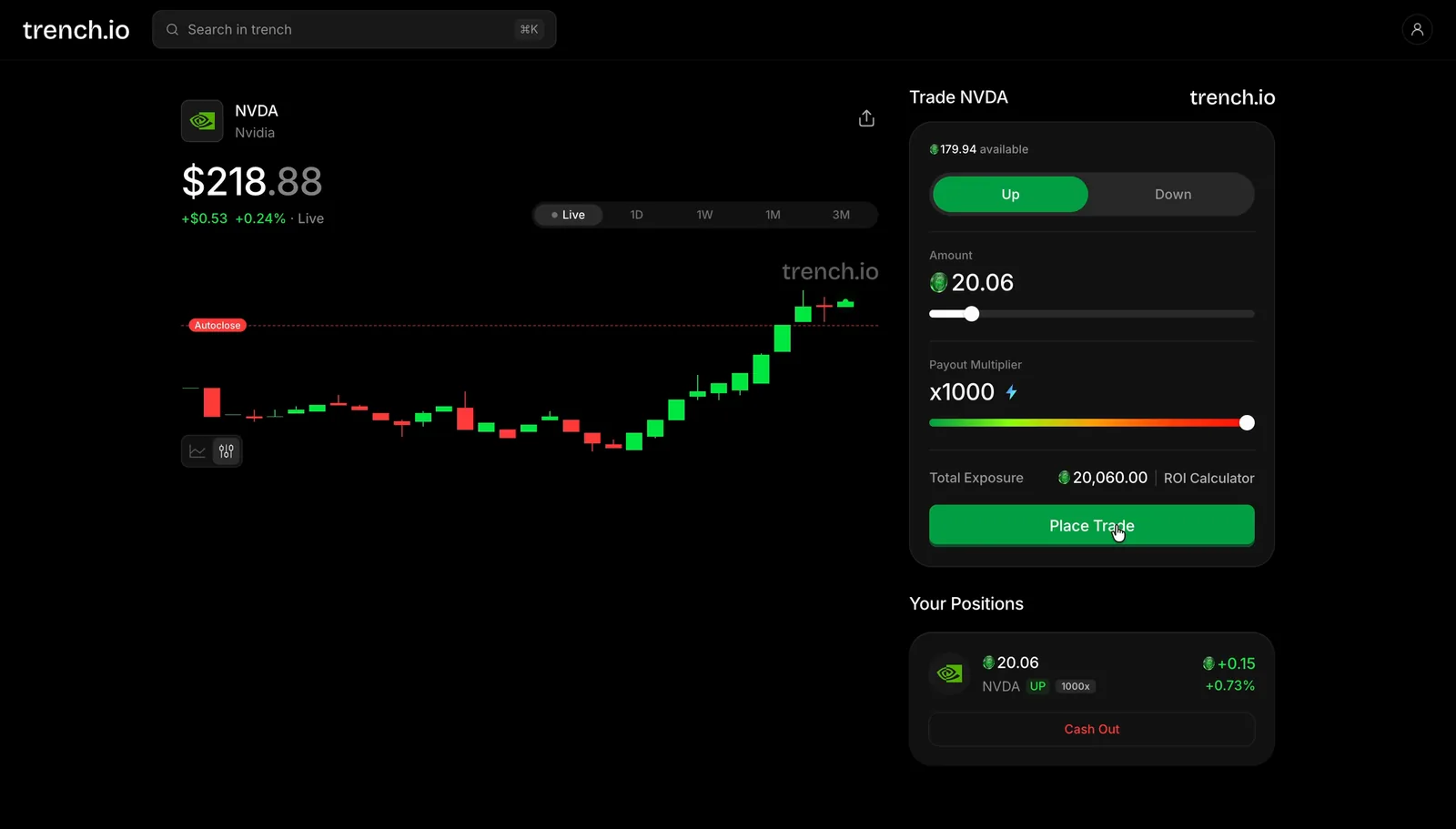
The whole cycle takes seconds, and that's the point of the platform. If your view had been that Nvidia was going to fall, you'd pick Down and everything else works exactly the same way.
Laptop and phone, nothing to install
The same account works in a phone browser, and the open position follows you. I opened trench.io/markets/NVDA on my phone with the position still open: the chart, the Autoclose line, the live P&L and the Trade button are all there. Two screenshots a few seconds apart show how fast a 1000x position moves: −$2.75, then +$0.49.
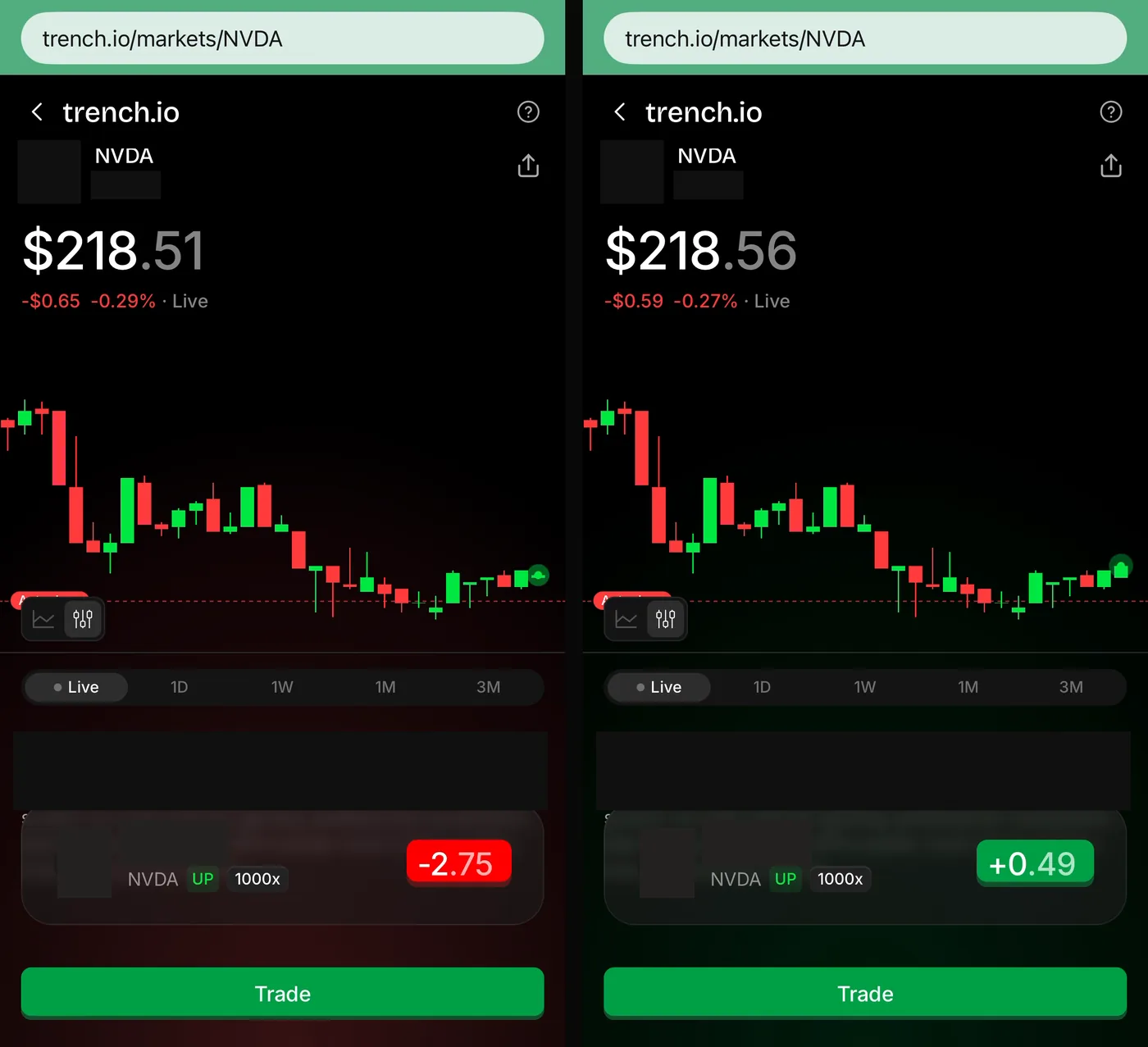
For me the browser-only approach is a plus. There's no app to update, and a position you opened on a laptop can be closed from a phone on the way out.
How it compares with the usual leverage trading
On most exchanges the multiplier tops out at 50x or 100x, it's usually crypto only, and the whole thing lives behind margin settings and funding rates. If you've traded perpetual futures, you know the routine: margin mode, funding every eight hours, a liquidation price you have to calculate yourself. I've explained that routine in how crypto perps work.
Trench.io trades that complexity for a slider. I didn't see a funding rate or a margin mode anywhere in the panel; the costs the calculator lists are price impact and the 10% fee on profit, and the autoclose level is drawn on the chart instead of hidden in a formula. What you give up is the option to add margin and keep a losing position alive: I found no way to do that, and when the price hits the line, the trade is over.
Who it's for, and who it isn't
It's for people who already have opinions about where a stock or a coin is going in the next hour and want those opinions to count for more than a few cents on a regular account. And for people who like a clean interface: search, amount, slider, Up or Down, Place Trade, Cash Out.
It isn't for you:
- if you want to hold a position for days: at high multipliers the autoclose line is too close for that;
- if you can't afford to lose the full amount you put into a trade, because at 1000x that's the normal outcome of a trade that goes the wrong way;
- if you need a regulated broker with investor protection: Trench.io's terms, updated in August 2026, route disputes to arbitration in Panama, and I didn't find licensing details on the site;
- if you're in a restricted country: the list at trench.io/geoblock covered Cuba, Iran, North Korea, Syria, Russia, Belarus and the occupied regions of Ukraine when I checked.
Pros and cons
| Pros | Cons |
|---|---|
| Stocks and crypto in one screen, one trade panel | At 1000x the autoclose line is about 0.1% from entry |
| Multiplier is a slider from x1 to x1000, your choice per trade | 10% fee on profit, plus price impact |
| Maximum loss is the amount in the position; no negative balance | Young platform: terms dated August 2026, no licensing details found |
| ROI calculator shows the payout per move before you confirm | Withdrawals and the Use Cash route not tested in this review |
| Sign-up in a minute, deposits from $10, works on laptop and phone | Not available in several countries, including Russia and Belarus |
My verdict
Trench.io does what it says: it gives a small account access to a multiplier that most platforms don't offer, and it does so with the clearest trade panel I've used this year. The exposure math is honest, the maximum loss is visible before you click, and the ROI calculator tells you exactly what you're signing up for. What it asks of you is discipline: small amounts, a multiplier that matches how much room the trade needs, and no illusion that a 1000x position is anything other than a bet on the next few minutes.
If you want to try it, sign up with the code CRYPTOLADY, start with an amount you're comfortable losing, run a couple of trades at a low multiplier, and only then slide it up. I'll share how my own trades go on Telegram.
Official resources
- Trench.io sign-up with code CRYPTOLADY
- Trench.io website
- Restricted jurisdictions
- Video review on YouTube
Paid promotion: Trench.io paid for this review. The trades shown in the video were placed on a small balance to show how the interface works and are not a performance record. Figures were taken from the platform's own ROI calculator and deposit screens in October 2026; terms and fees can change. Trading with a multiplier is high risk, and the full amount you put into a position can be lost. This is not financial advice.
Register via my link
Open Trench.io with code CRYPTOLADY
Frequently asked
What is Trench.io?+
A browser-based trading platform where you pick a stock or crypto market, choose Up or Down, set an amount and move a payout multiplier slider of up to 1000x. Your exposure is the amount times the multiplier, and the most a position can cost you is the amount you put in.
How does the 1000x multiplier on Trench.io work?+
$20 at 1000x gives you $20,000 of total exposure. According to the platform's own ROI calculator for a $20 Nvidia position at 1000x, a 1% move in your favor pays about 8.8 times the stake after the 10% fee on profit and price impact, while a move of 0.1% against you closes the position at a full loss.
Can I lose more than I put into a Trench.io position?+
No. The maximum loss on a position is the amount you put into it. The chart shows an Autoclose line, and the position is closed when the price reaches it. The platform states that losing trades are charged nothing.
What are Trench.io's fees?+
The ROI calculator states a 10% fee on profit and no fee on losing trades, with price impact included in payouts. The minimum crypto deposit shown in the Transfer Crypto window was $10.
Does Trench.io require KYC?+
Sign-up is by Google, Apple or email, and there was no document check before I could deposit and place a trade. Eligibility rules and the restricted-countries list are set by Trench.io and can change.
Which markets can you trade on Trench.io?+
Stocks such as NVDA, AAPL, TSLA, AMZN, SPCX, META, MSFT, COIN, GOOGL and HOOD, and crypto from BTC down to a long list of altcoins. The Markets screen has All, Stocks and Crypto tabs, and a search box opens with Cmd+K.
Is Trench.io available in my country?+
As of October 2026, Trench.io's restricted-jurisdictions page lists Cuba, Iran, North Korea, Syria, Russia, Belarus and the occupied regions of Ukraine. The current list is at trench.io/geoblock.
Is there a Trench.io code?+
Yes. Sign up through trench.to/CRYPTO or enter the code CRYPTOLADY. The current promotion attached to the code, and its terms, are set by Trench.io and shown on their site.
Want a review like this for your project?
YouTube review + Telegram + an evergreen blog article — EN · ES · RU-CIS markets. Real audience, verifiable results.